
Suggested reading based on your smartwatch, transaction history and monkey paws
Journal
Hey, can I ask you a simple question?

How to prevent a CMS from getting abandoned
Let’s be fair: more then once in the past, I have participated in the production of an online application that started out well, but all well intended design and well written code creating a vast amount of options for the content management did not result in something that was a lasting success. Without proper content management a project fades out quickly or looses its quality entirely. This is always nobody’s fault. And it actually isn’t. Its organization, not individual effort that needs adjustment.
Now there are several pitfalls that can lead to a quick deprecation after a project is delivered. And there are a few things designers, developers and clients should keep in mind when making an initial plan for a web project.
Ok, Let’s say I want to create a perfect project right way, how do I go about it
Ok, start with admitting that perfect never makes it out of the gate
A proper project is something that evolves over time. What I see time and time again is that a budget for a website is treated like a bucket of money that gets thrown into a production all at once. However, the best projects have continual iterations over time.
Ideally, projects get evaluated, preferably even on different aspects and by different people. But more importantly: something gets done on a basis of those evaluations. This has to be part of the operation from the start.
What is very a good device for this is to set a 2nd release date already before the project is done. This sets the right tone for the project as not being something static, but as an evolving entity. Of course, additional work means additional budget. Ideally the second release is something already budgeted in before any work is done. Best is if a third or fourth release is factored in also.
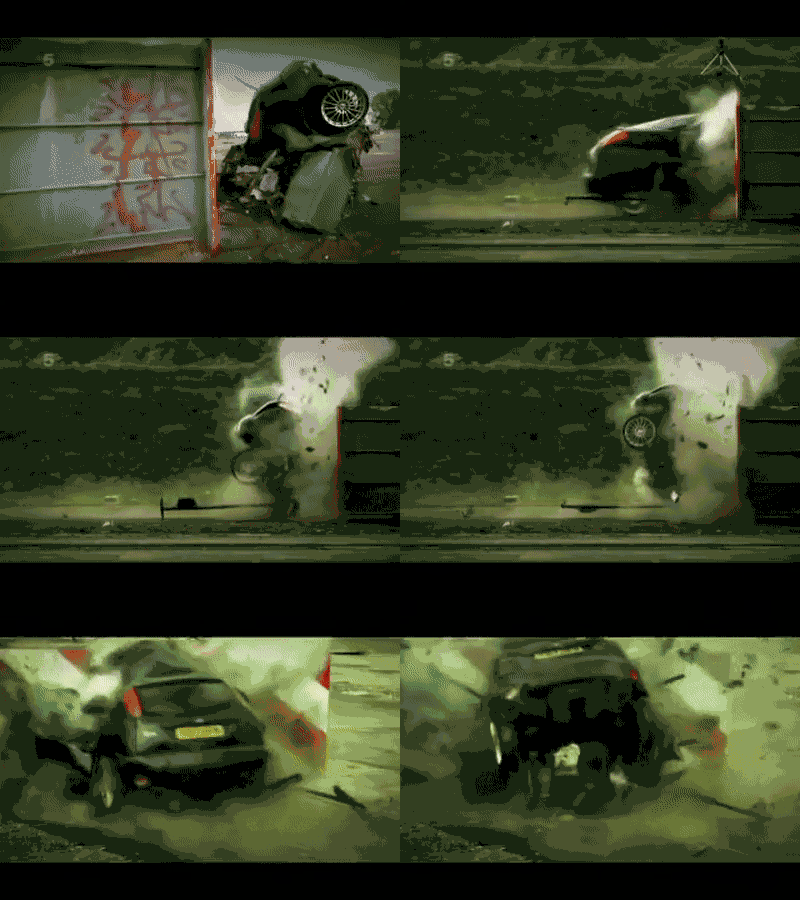
The thing is, that what a new project or concept by a designer entails might be based on research and experience, but partly any concept is being based upon hypothesis. The more progressive the project, the more this is the case. You can compare creating a web-application to car manufacturing. The car can be built, but it needs to be driven in to see how it deals with the road. And this road or its condition may vary also.
A web application with a CMS is a piece of equipment, a tool to deliver content with. And content is quite an amorphous entity that can change with time. The application needs to be flexible enough to allow these changes, while at the same time offering enough of structure to create unity between all the different pages, entries, posts, etc.
Ok, enough with the philosophy and abstract talk, give us something more concrete
Sure enough, here is a list of pitfalls.
Pitfall 1: Don’t design page templates
When designing for a CMS driven application it is better to think in terms of modules rather than templates. Modules are the building blocks a page is constructed with. What often happens is that designers think in static pages and design each one from top to bottom. This limits flexibility. You should think of the each page being a range of modules, building blocks that have a preferable way of being arranged. But you have to allow some deviation, because the client may (or probably will) want to have that ‘application form’ on another page as well.
Practically, you only need a homepage and overview pages (i.e. a page showing all the news items) to be separate templates. Otherwise just design modules and combine them on various ways to emulate what could happen if a CMS editor would use them.
Pitfall 2: Too few options
I have had several requests for rebuilding existing websites that gave too little options for content creation. A lot of effort was put into the design and the first few pages looked fine. But a few clicks in and the whole thing started to fall apart. And this is a shame. Think of the fact that the audience does not always come in through the front door (meaning: the homepage), but can reach another less good looking page through a Google search.
One of the reasons was that the CMS user was -in the worst cases- only allowed a textfield with markup, in which everything had to be added, including images.
What should be done at the start of any project is to think about how content will be added over time and what ‘ingredients’ CMS users can play with in order to make their pages look good. So again, here modules come into play. Nowadays this is the golden standard of creating applications based on a CMS. Creating a set of modules that can be used on every page. When a CMS editor has these elements, what needs to be decided on is rhythm. And a rule of thumb has to be introduced to make sure this rhythm is maintained.
Pitfall 3: Too many options
I always make technical designs that try to reduce the amount of templates and modules that need to be created. Sometimes you have to kill some modules or roll similar modules into one. This is not only because this saves on development time, it also creates more clarity to the CMS editor. If there are too many options and specifics to each template projects tend to get messy. As CMS users start messing up by choosing the wrong options and correcting them by getting creative the wrong way.
Or worse: all hope is lost and any attempt to create new content is abandoned. Creating content should be fun. No, let me rephrase that, creating content is never fun, but at least it should not be a daunting and dreaded task. Modules are great, but there shouldn’t be too many. Because the CMS editor will just loose track of the amount of options and the specifics of each one. When designing, name the modules and list them. This can be used by the development team and can even be used to create a CMS guide for the client.
Too many. Too little? Please. Just tell me what to do
Want to have a to do list? Please check the conclusions
Pitfall 4: No designated driver
Going back to what I talked about earlier, remember that great car analogy? Well I am returning to it. If you create a car, you also need a driver to drive it to get anywhere right? It might seem very obvious, but more then once I have seen very little being added to a project after the initial launch, because there was just no designated CMS editor. Somebody for sure takes it for a spin maybe a few times, but then it just stands there. This task cannot be left as a side job to anyone in the company with some leftover time. Content management is a continuous task that needs scheduling. And there should ideally be contact between the content manager and the designer in the weeks after the launch of an online project. To maintain the alignment of the content with the design. With a CMS driven application, you need to create a good dynamic rather then just a good looking product.
Pitfall 5: The design does not respect the content
To anyone working in my field it is a quite well known fact, but I’ll say it again: A design HAS to be based on either existing or projected real content. Lorem ipsum (filler text) might cut it for showing long paragraphs. But this should never ever be used for showing titles, quotes or teasers in the design. The design should be made with real content in mind. Good web development is about making real content have the most impact. Real content should inform the design and can actually used to generate design ideas. Filler text leads to uniform and more boring design and creates problems in the long run. Because there is just no tone of voice. If you want to use humongous letters, there should also be short and snappy ‘things to say’ and those things to say should fit the actual audience you are trying to talk to.
Pitfall 6: The content does not respect the design
As the design should inform itself by the content, this goes the other way round as well of course. Content has to be written within the available space. But this limitation also offers (or rather forces) a chance to reduce the text to what is really essential. If the tone of voice is found and this matches the design, this should not be a big issue.
Ok, enough with the pitfalls, can we get some conclusions?
Sure, lets go
As has been said before. In short, the following should be kept in mind:
- A project is not done after going live. Plan several releases after going live with testing and gathering feedback
- Have a someone dedicated to adding content and schedule release dates for its publication.
- Have a designer design with real content and let the content inform the design
- Consequently, use the design limitations as tool to improve content
- Approach the application as something modular and make sure the options are both limited and versatile
To give a little more of a grip on what that last point means, here are the 5 modules I almost always use and that a designer should add to a CMS driven application:
- Paragraph: a simple text module that contains markup. I sometimes also call it the paragraphS module and have it contain multiple paragraphs to allow the user to create several in a row.
- Media: a basic module containing either just one image or video that can have a caption
- Image + text module, that has an option to vary in alignment. This is a great visual device as it can work both as a link to more detailed content on another page, or as an element to break monotony in a page containing lots of text.
- Collection: a selection of several teasers to other pages of a specific content type. Like a couple of news items or a bunch of events.
- Streamer: A quote or large form text that repeats something on the page. This allows the user to quickly get a feel of the general content. And also breaks the monotony without having to add another image.
These are modules that cover most of ground, but this is just a standard set that doesn’t make the website stand out. It is advisable to add at least one or two modules that are unique to the project and directly align with the project goal. This gives the CMS editor freedom to both use the site as a publication platform while keeping te main functionality of the application in view. So this can be a special application form, an image mosaic or a specific graphic.
Like so you will be able to create a good design and let me know when you are done. Because who knows, maybe we can build it together!